
Scrap Dragon Xtreme Version 3.0.7 Release Notes October 2016
New in this release of Scrap Dragon Xtreme are the following enhancements. Click here for previous Release Notes
| Enhancement | Funcitonality | ||
|---|---|---|---|
| Sessions | Sessions will replace the current ticket locking.
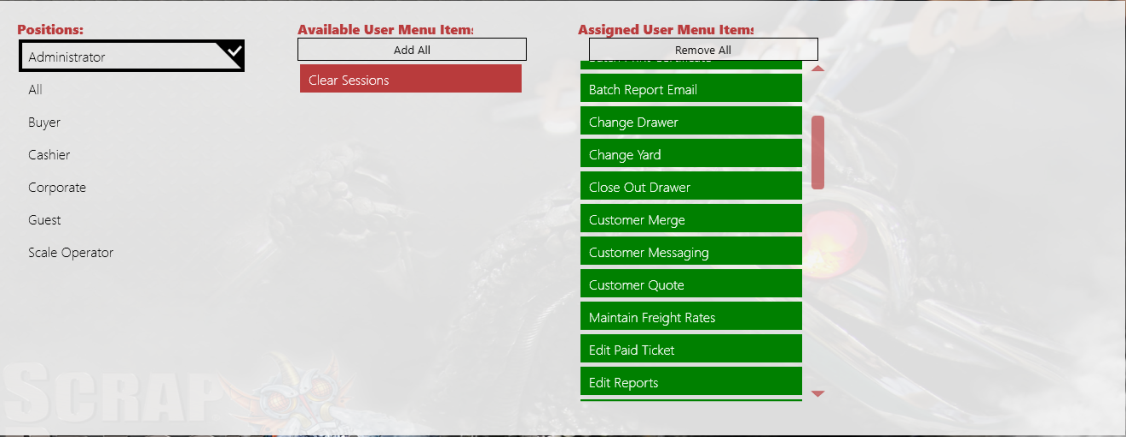
Sessions functionality affects the editing and saving of: tickets, contracts, shipments, booking, pack, packlists, transfers, invoices, work orders, trips, service agreements, containers, commodities, inventory items, customers, yards, dispatch containers and transfer packlists. The new User Menu item called Clear Sessions enables you to clear a session for a locked item. Sessions may be cleared based on permissions. Sessions are filtered by user and all sessions for a user are shown. One session may be cleared, selected sessions may be cleared or all sessions for a user may be cleared at once. NOTE: It is a rare occurrence that sessions should be locked. WARNING: DO NOT Clear All User Sessions unless you are sure this is the action you want to take. Clearing All User Sessions forces users out of the tickets they are working on. BEST PRACTICE is to locate the specific item and clear it. Clear Sessions is now available on the User Menu, which can be added to the user menu by going from the start screen to Admin -> User Menu and adding the Clear Sessions role to the desired positions. (Recommended for administrators power users only) To Clear a Session:
5. Touch Clear All Sessions. Note that on the following screens items in session may be viewed but disabled if they are in session: retroactive pricing for tickets, trip planning and trip scheduler for work orders and trips, trip status, edit pack list, edit transfer pack list, tickets by customer, tickets by ticket number, pay by EZCash, and Mass Ticket Write Off. |
||
| Yard Options | The Yards Add/Edit Yard screen layout has been changed by adding tabs along the left side. This will improve ease of use.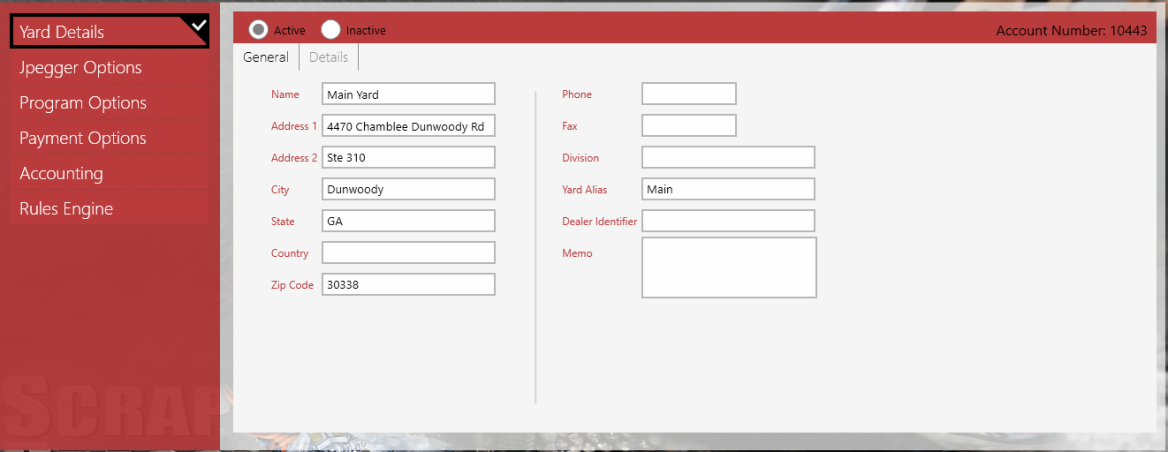
|
||
| Packing Lists | When working with packing lists that allow additional materials to be added, a new feature allows scanned or entered packs to be automatically added into the appropriate items and added to the packing list. New Packs may be added to a contract. The functionality is the same for transfers.
|
||
| Reports | Reports enhancements are included in this release:
New Report: |
||